
| |
This Column Appears in:
Birmingham, AL "News"
Little Rock, AR "Democrat Gazette"
New Britain, CT "Herald"
Orlando, FL, "Citizen Gazette"
Vero Beach, FL, 'Press Journal"
Kaneohe, HA, "Midweek"
Geneva, IL, "Chronicle"
Shreveport, LA " The
Times"
Worcester, MA Telegram & Gazette"
Carlisle, PA, "Evening Sentinel"
Fort Myers, FL "News Press"
Spokane, WA, "Northwest Online"
Bangkok, Thailand, "Post"
Shanghai, China
“Daily News”
Hanoi, Vietnam "Vietnam News"
|
|
|

|
|
July 2006, Week 4
|

Want to hear some beautiful music? Go to
www.soundclick.com, a Web site frequented by talented amateur
musicians and composers, as well as
 some not-yet-famous professionals.
The quality at this site is very high. We tuned
in to a great James Bond theme concert by an orchestra in a small
town in Spain and to a German church organist playing Bach's famous
"Fugue in G Minor." You can upload your own pieces, if you feel
you're good enough, and a listener can download them for 75 cents.
The artist gets half the fee. You can listen on the Web site for no
charge, of course. Some of this music was
written or enhanced using one of the programs we're going to talk
about below.
It's a Piece of Cakewalk
Almost all recorded music uses digital equipment and synthesizers
these days. So we have three new programs from Cakewalk, a software
house well-regarded by both amateur and professional musicians.
·
The best deal for those just starting out is Cakewalk's USB Music
Pack. It's $49 from
www.cakewalk.com and contains software plus the cables you
 need
to connect a MIDI instrument to a USB computer port. We paid much
more than that for just the cables when we wanted to connect our
Yamaha keyboard to the PC. (MIDI is an acronym for "Musical
Instrument Digital Interface.") need
to connect a MIDI instrument to a USB computer port. We paid much
more than that for just the cables when we wanted to connect our
Yamaha keyboard to the PC. (MIDI is an acronym for "Musical
Instrument Digital Interface.")
The software includes a synthesizer program for
composing music and thousands of instrument sounds to choose from.
More than 250 sound loops let you move sections of music around the
composition. When you like what you've done, you can add
reverberation and other effects, burn it to disk and even print out
the sheet music. Can't beat it for $49.
·
Moving up to Cakewalk Kinetic 2 costs $299. No cables included here.
This synthesizer software also has thousands of pre-recorded
instrument sounds and hundreds of loops, and includes lots of
special effects and an equalizer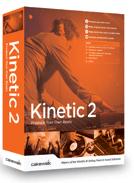 board, like the ones used by recording studios. Almost everything is
mouse-controlled with "drag and drop." You can tap out your own
rhythm with the mouse or keyboard.
board, like the ones used by recording studios. Almost everything is
mouse-controlled with "drag and drop." You can tap out your own
rhythm with the mouse or keyboard.
·
Dimension Pro is $359 and definitely professional level. The
synthesizer has an infinite number of instrumental and synthetic
sounds to compose with, and comes with two extra DVDs of 1,500
extensive instrumental recordings
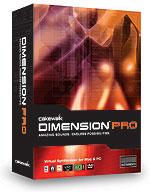 and
programs. The program can be loaded in English, Spanish, German or
French. You are safe in assuming you can do anything here that you
can do with the lower-cost programs, but again, no cables are
included. and
programs. The program can be loaded in English, Spanish, German or
French. You are safe in assuming you can do anything here that you
can do with the lower-cost programs, but again, no cables are
included.
Dimension Pro is for
Windows XP or Mac
10.3.9 and above; the others are for Windows XP.
Faster than a Speeding Fax Machine
For the past several weeks, Joy has been trying out Pando, a free
program for transferring large files, such as video and photos. This
is an alternative to YouSendIt, which we have used for quite a
while.
Both Pando and YouSendIt are free to use with files up to 1 gigabyte
in size, which is still a very large file. YouSendIt will handle
2-gigabyte files if you are willing to pay $5 a month. That's a lot
of information, but images eat up file space like an alligator on
steroids. You can connect with this service at
www.yousendit.com and to Pando at
www.pando.com.
 Both send an e-mail link to your recipients and
they click on that link to get the file. But with Pando the
recipients must have Pando software on their machine to send or
receive files. This tripped us up when we tried sending birthday
photos and scrapbook stuff to a friend with an older Macintosh.
Pando works with both Windows and Mac, but the Mac has to have
operating system
10.3.9 or higher.
Both send an e-mail link to your recipients and
they click on that link to get the file. But with Pando the
recipients must have Pando software on their machine to send or
receive files. This tripped us up when we tried sending birthday
photos and scrapbook stuff to a friend with an older Macintosh.
Pando works with both Windows and Mac, but the Mac has to have
operating system
10.3.9 or higher.
Both services encrypt files for secure
transmission, and the transfer speed is way beyond what any of us
are used to. Speed depends on your connection, of course, but other
things being equal, Pando is faster.
With a high-speed connection, a
50-megbayte file typically takes about five minutes with Pando, but
about 8 to 9 minutes with YouSendIt. Using a phone line connection,
often called "dial-up," it would take twice as long or more with
either service. These times vary wildly, depending on how well your
Internet server is working right then.
If you sign up for Yahoo.com's free Instant Messenger service,
you can use Pando to send huge files as an instant message. Here,
too, what is actually being sent is a link to that file. By the end
of July, Pando plans to add plug-ins that allow you to send large
files in this way with a simple click while handling e-mail in
Microsoft Outlook and Hotmail, or Google's Gmail.

Games "Stunts and
Effects" is a much-acclaimed new expansion pack for the popular
Activision moviemaking game "The Movies" (www.activision.com).
It strikes us that this would be good for adding scenes to the
make-your-own-comic-book program we wrote about recently and to your
own videos.
NOTE: Readers can search several years of columns here at
oncomp.com or seven years worth of columns at
oncomp2.com
|
|